
Best Game Boosters of 2026
The best game booster for most competitive players in 2026 is ExitLag — its multi-route architecture duplicates packets across parallel paths, so unstable last-mile connections rarely drop in-game. GearUP is the cheapest simple pick, WTFast is the MMORPG specialist, and Mudfish is the lowest cost per hour for technical users.
Disclosure: We may earn a commission if you purchase through links on this page. This never affects our reviews.
How this ranking was built. Research-based editorial scores across route architecture, game coverage, platform support, transparency and cost per hour. We have not conducted a controlled latency benchmark; every score carries the Research-scored evidence badge. Approved affiliate programmes are disclosed at every CTA and do not affect ranking.
A winner for every buyer archetype
Not every category has one clear winner — we only name a pick where the evidence supports it.

Multi-route smart routing that duplicates packets across parallel paths.

The simplest one-click routing client in the category.
Multi-route smart routing that duplicates packets across parallel paths.

The original Gamers Private Network, tuned for MMORPG sessions.
Multi-route smart routing that duplicates packets across parallel paths.

Pay-as-you-go traffic credits or flat monthly — dual billing.

Per-application routing on a credit model — the technical user's pick.
Pay-as-you-go traffic credits or flat monthly — dual billing.
Full comparison table
Verified against each vendor's own published documentation. Cells marked "Not published" mean the vendor does not publish a canonical value we can attribute; we do not guess.
| Capability | ExitLag | GearUP Booster | WTFast | NoPing | LagoFast | Mudfish |
|---|---|---|---|---|---|---|
| TTML Score | 8.1 / 10 | 7.8 / 10 | 7.6 / 10 | 7.6 / 10 | 7.5 / 10 | 7.4 / 10 |
| Starting Price | $6.50/mo | $4.99/mo | $9.99/mo | $4.99/mo | $3.99/mo | Pay-as-you-go credits |
| Free Trial | Yes | Yes | Yes | Yes | Yes | Yes |
| Windows | Yes | Yes | Yes | Yes | Yes | Yes |
| macOS | Yes | No | No | No | No | Yes |
| Mobile | No | Yes | No | No | Yes | No |
| Console (native) | No | No | No | No | No | No |
| Route Architecture | Multi-route (packet duplication) | Single-route selection | Gamers Private Network | Single-route selection | Single-route selection | Per-application routing |
| Multi-route | Yes | No | No | No | No | No |
| Auto Route Selection | Yes | Yes | Yes | Yes | Yes | No |
| Manual Controls | Yes | Yes | Yes | Yes | Yes | Yes |
| Billing | Subscription | Subscription | Subscription | Subscription | Subscription or PAYG | Pay-as-you-go |
| Best For | Overall, for Competitive FPS, for International Routing | Value, for Competitive FPS | for MMO Players | for International Routing | Budget, Pay-As-You-Go | for Advanced Users, Pay-As-You-Go, Budget |

Disclosure: We may earn a commission if you purchase through links on this page. This never affects our reviews.
Every booster, verdicted
ExitLag
Research-scoredMulti-route smart routing that duplicates packets across parallel paths.
The most robust routing architecture in the category. ExitLag duplicates packets across multiple parallel paths simultaneously, so a single congested hop rarely translates into a dropped packet in-game. Widest supported-game catalogue and native Mac client make it the safest default trial for most competitive players.
Strengths
- Multi-route packet duplication can be particularly useful on unstable last-mile connections.
- Native Windows and macOS clients — one of the few boosters that treats Mac as a first-class platform.
- Widest supported-game catalogue across competitive FPS, battle-royale and MMORPG titles.
- Short free trial for real-world testing on your own line.
- Per-game acceleration rather than a blanket VPN tunnel.
Weaknesses
- No native Xbox or PlayStation app — console coverage requires a router or PC-hotspot setup.
- Higher upstream bandwidth consumption than single-route boosters (a consequence of packet duplication).
- Pricing is region-variable; the headline USD rate is not what every market pays.
Who should buy it
Competitive PC and Mac gamers on cross-region servers or unstable residential ISPs. Anyone whose main complaint is jitter and packet loss rather than raw distance.
Who shouldn't
Console-only players without a compatible router. Casual players already on clean domestic routes will see marginal benefit.
Disclosure: We may earn a commission if you purchase through links on this page. This never affects our reviews.
GearUP Booster
Research-scoredThe simplest one-click routing client in the category.
Pick a game, pick a node, connect. GearUP has the shortest learning curve in the category and typically the lowest annual price among always-on subscriptions. Single-route architecture is simpler than ExitLag's but works when your default ISP path is genuinely poor.
Strengths
- Simplest client in the category — the fastest path from install to lower ping.
- Cheapest annual pricing among always-on subscription boosters we track.
- Mobile companion for supported mobile-game clients.
- Free trial available for real-world testing.
Weaknesses
- Windows-only PC client — no native macOS support.
- Single-route architecture cannot rescue individual packets on unstable connections the way multi-route can.
- Console support depends on the router-companion path.
Who should buy it
Windows-only players who want a set-and-forget booster with the lowest ongoing cost.
Who shouldn't
Mac users, players with genuinely unstable last-mile connections, or anyone who wants granular per-application routing.
Disclosure: We may earn a commission if you purchase through links on this page. This never affects our reviews.
WTFast
Research-scoredThe original Gamers Private Network, tuned for MMORPG sessions.
A decade-old dedicated GPN with long-standing peering agreements to major MMORPG game hosts. Higher headline price than most competitors, so only worth paying when WTFast's specific peering demonstrably helps your title on your line.
Strengths
- Mature GPN with peering to hosts for long-lived MMORPG titles.
- Client is stable and well-documented after a decade in-market.
- Free trial for real-world testing before subscribing.
Weaknesses
- Windows-only — no macOS support.
- Higher headline price than ExitLag, GearUP, NoPing and LagoFast.
- Single-route only; no packet duplication.
Who should buy it
Long-session MMORPG players on Windows whose specific title benefits from WTFast's peering.
Who shouldn't
FPS or battle-royale players on modern game hosts — competitors typically match or beat WTFast on those routes at lower cost.
Disclosure: We may earn a commission if you purchase through links on this page. This never affects our reviews.
NoPing
Research-scoredLatin-America-strong routing with straightforward pricing.
Founded in Brazil, NoPing's node coverage is one of the strongest in Latin America and adequate for North America and Europe. Straightforward pricing, straightforward client — a good pick when you regularly play on non-domestic servers.
Strengths
- Strong Latin American node coverage — useful for EU/NA players routing into LATAM servers.
- Short free trial period for real-world testing.
- Clean, minimal client without heavy overlays.
Weaknesses
- Windows-only PC client.
- Marketing pings/loss figures are best-case and should not be treated as typical.
- No native mobile or console app.
Who should buy it
Windows players regularly connecting to Latin American servers, or NA/EU players whose game hosts LATAM regionally.
Who shouldn't
Mac users, console-only players, or MMORPG players on established WTFast-peered titles.
Disclosure: We may earn a commission if you purchase through links on this page. This never affects our reviews.
LagoFast
Research-scoredPay-as-you-go traffic credits or flat monthly — dual billing.
One of only two boosters we track that ships a real pay-as-you-go tier — you buy hours of routing instead of a subscription. Cheapest monthly on a flat plan and cheapest overall for players who only game a few hours a week.
Strengths
- Pay-as-you-go option is genuinely cheap for occasional competitive play.
- Lowest headline flat monthly price in the category.
- Mobile companion for supported titles.
- Free trial available.
Weaknesses
- Windows-only PC client — no macOS support.
- Single-route architecture only.
- Node coverage in some regions is thinner than ExitLag or WTFast.
Who should buy it
Windows players who game a few hours a week and want to pay for what they use.
Who shouldn't
Mac users, always-on players (a competitor's annual plan will beat pay-as-you-go once you cross a usage threshold), or players who need multi-route resilience.
Disclosure: We may earn a commission if you purchase through links on this page. This never affects our reviews.
Mudfish
Research-scoredPer-application routing on a credit model — the technical user's pick.
Not a one-click product. Mudfish routes per binary or per port, uses a traffic-credit billing model and expects the user to configure rules. Structurally the cheapest option for competitive-only players and one of the few boosters with native macOS support.
Strengths
- Per-application routing — accelerate only the game process, leave everything else on the ISP route.
- Traffic credits — for competitive-only players, structurally the cheapest option in the category.
- Native macOS and Windows clients.
- Highly configurable for technical users.
Weaknesses
- Steeper learning curve than any competitor — not a one-click product.
- No automatic route selection; manual node choice required.
- Not a commissionable affiliate at time of publication — coverage is editorial only.
Who should buy it
Technical players comfortable with routing rules who want the lowest cost per hour and per-process control.
Who shouldn't
Anyone who wants a one-click experience or who values a warranty of automatic optimisation.
Disclosure: We may earn a commission if you purchase through links on this page. This never affects our reviews.
What a game booster can — and cannot — do for you
How game boosters actually work
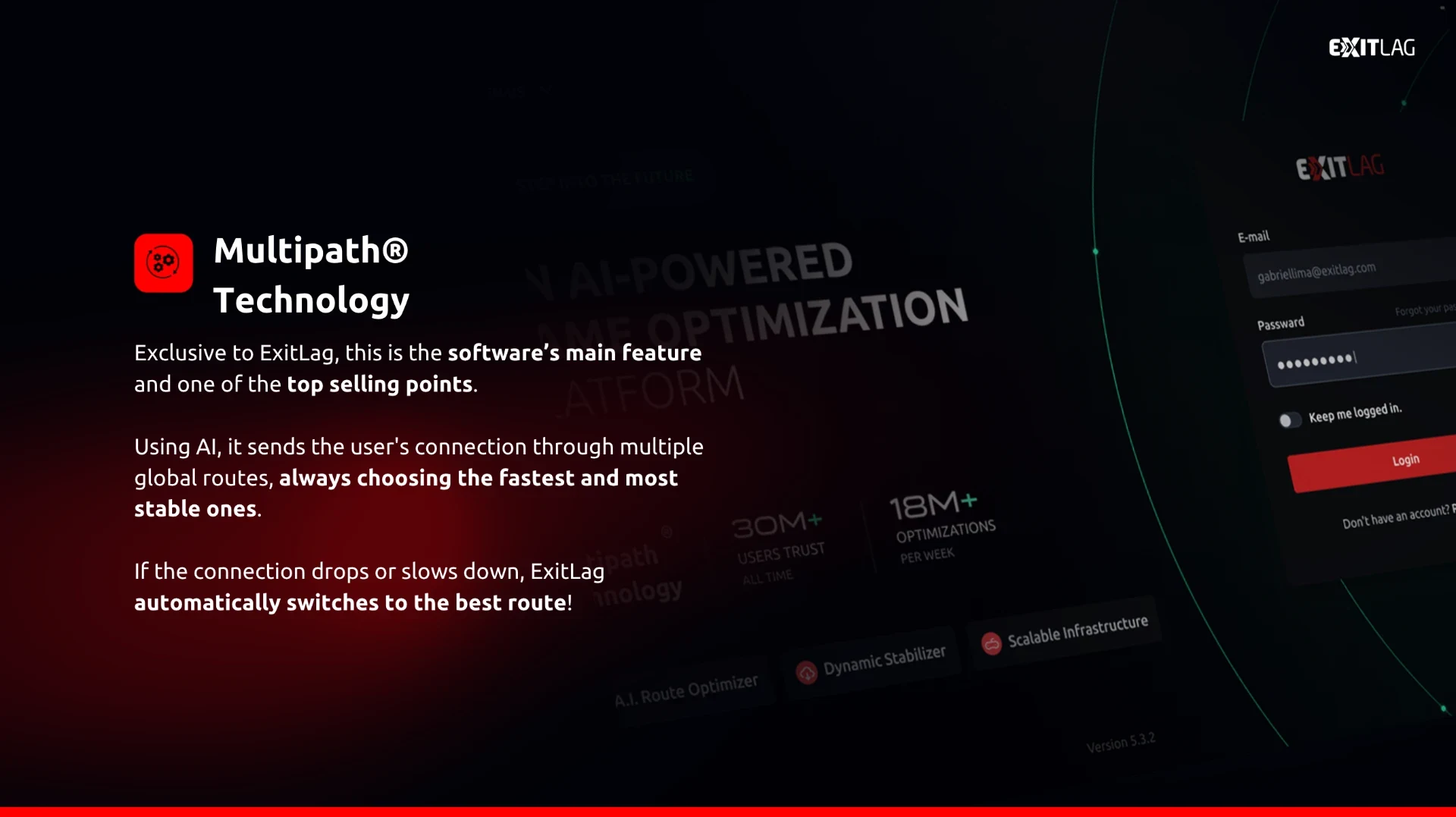
Every game booster intercepts your game's outbound traffic and re-routes it through the vendor's own edge nodes before it reaches the game server. The differences between products come down to how they choose that route — one path, several paths in parallel, or per-application rules.
When they actually help
- You play on cross-region servers (EU player on a NA server, NA player on a LATAM server).
- Your ISP's peering to the game host is congested at peak times.
- Your last mile is dropping packets mid-route, not at your Wi-Fi.
- You play jitter-sensitive titles (tactical FPS, tick-based MMORPGs).
What they cannot fix
- Distance to the server. Nothing shortcuts the speed of light.
- Local Wi-Fi problems. Packet loss inside your house cannot be fixed from the cloud.
- Game-server issues. When the server is overloaded, routing changes nothing.
- An already-clean route. If your ISP peers well, expect marginal gains at best.
VPN vs game booster
A consumer VPN encrypts every packet and tunnels all your traffic through a single exit — great for privacy, usually bad for latency. Game boosters selectively route only the game process through nodes chosen for peering to the game host. Do not use one as the other.
ISP routing, packet loss, ping and Wi-Fi — the four variables
High ping is a symptom, not a diagnosis. Before subscribing to a booster, isolate the cause: run a wired-only test to rule out Wi-Fi; use tracert or a service like PingPlotter to see which hop is dropping packets; and check whether the game host has a nearer region you should switch to. A booster only helps when the answer is route quality.
How we evaluate game boosters
Evidence sources
Vendor documentation, client interface inspection, publicly-available user evidence, official pricing pages and affiliate-network commercial terms. Every score is research-based and carries our Research-scored evidence badge.
What we don't claim
We have not conducted a controlled latency benchmark on every product across every game and region — no independent publication realistically can. We do not repeat vendor marketing ping-reduction figures.
Editorial independence
Rankings are set before commercial status is checked. Five of the six products in this guide have approved affiliate programmes; Mudfish does not, and it still appears because the editorial case for it stands independently.
Affiliate transparency
CTAs disclose the affiliate relationship inline and route through our central registry. Commission never affects a product's placement, score or category winner.
Common questions before you subscribe
- Do game boosters really reduce ping?
- Sometimes. Boosters change the route your traffic takes to the game server. When your ISP's default route is congested or dropping packets, a booster can help materially. When your route is already clean, expect marginal or no improvement — always trial on your own connection first.
- Are game boosters worth paying for?
- Yes, when three things are true: your default route is genuinely poor, you play a competitive title where jitter and packet loss cost more than raw ping, and you play enough hours a week to justify the cost. If any of those is not true, spend the money on a wired connection or better router first.
- Which game booster works best?
- ExitLag for most competitive players thanks to its multi-route architecture. GearUP for the simplest one-click Windows client. WTFast for long-session MMORPGs. Mudfish for the lowest cost per hour if you are willing to configure routing rules.
- Are game boosters safe to use?
- The six services in this guide are legitimate, established products that route your game traffic through their own edge nodes. They are not cheats, they do not modify your game client, and they are compatible with major anti-cheat systems used by titles like Valorant, CS2 and Fortnite. Always download from the vendor's official site.
- Do game boosters work for Valorant?
- Yes — Valorant is one of the most heavily supported titles across every major booster. ExitLag, GearUP, NoPing and LagoFast all list Valorant explicitly. Riot's anti-cheat (Vanguard) does not conflict with routing overlays because the overlay operates at the network layer, not inside the game process.
- Can a booster fix packet loss?
- Boosters cannot repair packet loss on your last mile — if your Wi-Fi or ISP is dropping packets before they leave your house, no routing overlay helps. What multi-route boosters like ExitLag can do is duplicate packets across parallel paths so that a single congested hop mid-route rarely causes a lost packet in-game.
- Will a booster help on Wi-Fi?
- Only marginally, and often not at all. Wi-Fi introduces jitter and packet loss at the local end that no cloud routing service can fix. For competitive play, always game on a wired ethernet connection — that single change usually outperforms any booster.
- Do I need a game booster if my ping is already low?
- Probably not. Boosters are for players whose route quality is materially limiting outcomes — high jitter, packet loss, or cross-region play. If you already ping cleanly to your regional server, the marginal gain from a booster does not justify the cost.
If we had to pick one today
ExitLag — because multi-route architecture is structurally the most resilient design in the category, the game catalogue is the broadest, and native macOS support is rare. Use the free trial on your actual line, on the titles you actually play, at the times you actually play. That real-world test is worth more than any review, ours included.
Disclosure: We may earn a commission if you purchase through links on this page. This never affects our reviews.